Showing posts with label digital. Show all posts

Monday, January 18, 2010

Make It Myself Monday: Blog Button Fancy


Since I've become a more regular blogger, I've been learning many things...but the learning curve is HUGE!  It's like drinking from a fire hose, with all the info that is out there for learning HTML, blog design, etc.

My major goal today was to figure out how to make a blog button AND to be able to get that button onto my blog with an HTML code box in order to allow other readers (such as yourself!) to capture the code and display the blog button on YOUR site!  (it is in the upper left sidebar by the way...go on, grab it for your blog...leave a comment and let me know you did!).

It took me about 3 hours to get this figured out.  I had to download a program for my Mac (another HUGE learning curve to figure out...thus the fairly simple blog button design for this first one).  It is called Gimp and from what I read on reviews, it is very similar to Photoshop.  It was a free download and I believe there are formats for PC's too.  Check it out HERE.

Here are my Step by Steps for how I created my new little blog button for Make It Myself Mondays:

1.  Found a program to work for creating and adjusting images.  My Macbook did not have any such program built in, so after some research I downloaded Gimp.

2.  I created a 125x125 square in Gimp.  From there I found a free image I liked on Stock.Xchnge and copied it to my desktop.

3.  Then I pasted the image into the 125x125 square I had opened in Gimp.

4.  Next I put a new layer on top of the image background on my 125x125 square.  I then made the background on that new layer white, selected font (Chalkboard) and size/color of font and added the main text ("Make It Myself Monday").

5.  Next came a third layer, which I situated below the first.  I made the background white and selected the size, color and font (Baskerville Italic) for the text and added my blog address.  In retrospect I would not have done this because the text is so small you can't even read it.  

6.  I then saved the image as a JPG to my desktop.

7.  I then tried a couple of image sharing sites to upload the image to, in order to find the one I liked best.  I settled on Photobucket, and uploaded the JPG image.  It worked very nicely for me.

8.  I then did some research to find a tutorial about how to add an HTML code box below the blog button so that readers could grab the button to use on their sites as well.  I found this post at Blogging with Success to be most helpful.  Following the directions, it worked like a charm!

9.  I then selected an HTML widget in my Blogger layout, and posted the proper HTML script and hit 'Save'.  Checking out my blog showed that the code worked!  I double checked it by copying and pasting the code into a blog post...and it worked!

10.  Finally I saved the Word document where I had created the HTML code for this button - for easy future reference.  Now I'm off to fine tune my skills and create some more buttons for my other blogs!


I created this blog button because starting NEXT MONDAY I will be kicking off a MckLinky on my Make it Myself Monday posts!!  That way other readers can link up their posts highlighting the things they have made themselves, tutorials and more!  What a great way to find a bunch of creative inspiration all in one place!


If YOU decide to participate in "Make It Myself Mondays", there are a few things to know...
1 - Come back on January 25th to link up your post HERE!
2 - Make sure your post focuses on something  you created yourself.  This post can be a tutorial on how to make something, but it does not have to be a tutorial.  A post about what was created is just fine too.  
3 - The post does not have to be written on the same day as the MckLinky, nor does it have to have be written on a Monday at all.  It can even come from your archives!  Just make sure that your link goes directly to the post, not just to your blog main page.
4 - If you link up, please grab the "Make It Myself Monday" blog button (upper left sidebar) and either post it in your sidebar or create a post that links your readers to Gonna Want This-Handmade.

I look forward learning about what YOU made YOURSELF!


**NOTE**
I am a total newbie to both HTML and the Gimp program.  This tutorial isn't intended to be a failsafe method for creating your own blog button and HTML code box.   However if you find it helpful, let me know!


Wednesday, December 9, 2009

Win It Wednesday!

With many handmade artists busy with creating for the holiday season, giveaways hosted here at Gonna Want This-Handmade will be on hold until after the holidays. 

HOWEVER that doesn't stop me from bringing the best of the handmade giveaways in blog-land to you!  So read on for some fun giveaways you can enter!


1.  Since many readers are handmade artisans themselves...many with a shop on Etsy, I found it important to include THIS giveaway from Green Heath Treasures...an Etsy Advertising Media Mega Pack complete with custom designed banner, avatar vacation banner, etc.  Click on over to Green Heath Treasures to enter!  Giveaway is open through this Sunday, December 13th.


2.  I am a sucker for stamped jewelry (even though I don't actually own any yet!  hint hint honey...).  THIS is a great giveaway over at Etsy It Up, featuring Charitable Creations.  The giveaway is offering a $25 gift certificate to use at Charitable Creations towards any purchase.  Prices at Charitable Creations range from $2.50 to $45 with an entire selection of gifts under $20 as well!  And as the name suggests, this artisan donates 10% of her earnings to various charities.  Click HERE to go over to Etsy It Up to enter!  Giveaway open through this Tuesday, December 15th.


3.  I heard about HandmadeMN and had to check out their blog...because I live in MN, I love handmade AND I write a blog too...instant things in common!  And lo and behold, they have a giveaway going on!  Now it ends soon (December 11th) so if you are interested, get over HERE right away to get entered!  The giveaway item is a Bellaboogie Spa Pampering Basket with all natural products (including dusting powder, soap, sugar scrub, bath melts, and hair/body mist...all in your choice of essential oils!  The giveaway is hosted at HandmadeMN.


4.  There is often a new giveaway happening at Audrey's Giveaways and when I went to check out the latest, I found THIS fun and eco-friendly "upcycled" giveaway of an Ocasiocasa custom designed oil lamp!  Perfect for deck or bar decor, this one of a kind piece is sure to be a conversation item!  The giveaway is open through December 23rd and there are up to 12 extra ways to enter to win!  Check it out HERE.


If you are hosting a giveaway of handmade products, leave a comment and I'll feature your giveaway on my site!


Friday, November 27, 2009

Black Friday Recap & More!

BLACK FRIDAY RE-CAP!
This week there have been several great giveaways...and they aren't over yet!  If you haven't entered yet, make sure to click on the links below and enter to WIN!


Monday was the feature of Mailbox Bliss Custom Digital Card Giveaway.  There have been new products added to this site recently - check them out!  Click HERE to read the post and enter the giveaway.  Up to five entries possible!  Giveaway ends at 11:00 PM (CST) on 11/30/09!


Tuesday featured Baby Peas & Bees with a giveaway of the popular 'Baby in a Basket'!   Click HERE to read the post and enter the giveaway.  Up to five entries possible!  Giveaway ends at 11:00 PM (CST) on 12/01/09!


Wednesday, O2 Designs was featured, along with the plethora of holiday themed earrings and hair clips she has available in her online store.  There have been new items added to this shop recently - check them out!  Click HERE to read the post and enter the giveaway!  Giveaway ends at 11:00 PM (CST) on 12/02/09!


Yesterday TToz Designs was featured, along with the ADORABLE children's clothing she has in her online store!  This giveaway is for the precious baby loungewear set - pants and coordinating hat!  Click HERE to read the post and enter the giveaway!  Giveaway ends at 11:00 pm CST on 12/03/09.


MORE GIVEAWAYS !
Here are some that I've entered - all handmade artisans, of course!

These are some awesome giveaways being offered on other blogs that feature handmade items as well.  I am hoping I get one of the best deals of all that Black Friday could offer...to be the winner for one of these great giveaways!

RHB Designs features silver handstamped jewelry that is customized with family names and/or dates.  Love the simplicity of the designs and the the power of the message behind this kind of jewelry.  My favorite is THIS ONE.  Read more about it and enter yourself at Etsy It Up.  This giveaway is only open through 12/2!

Ink & Wit is a handmade artisan that creates letterpress art and I love pretty much everything under the Posters & Prints section on the website.  I also am thankful that these creations are environmentally friendly - created on 100% post-consumer recycled paper AND using soy inks!  The giveaway hosted at Kenzie Poo and is for an "A-Z Animal Poster"; go there to read more and enter!  this giveaway is open until December 4th.

Audrey's Giveaway Blog has a giveaway going on featuring "Pieces of Me", a handmade artisan who creates Scrabble tile style pendants (along with earrings, keychains, bracelets, buttons, mirrors & more).  The giveaway is for winner's choice of pendant and chain - and THIS is what I would choose if I won! (though I must say, it'd be hard to choose - there is a HUGE selection and so many options I like!) Click on the link for Audrey's blog (above) to learn more and enter!  Giveaway closes on December 8th.

Monday, November 23, 2009

Mailbox Bliss Card Designs AND Giveaway #1!

THIS GIVEAWAY IS NOW CLOSED.  TO SEE THE WORK OF MAILBOX BLISS, CLICK HERE!


It’s the start of Thanksgiving Week - the LAST week of November! Do you know where your Holiday cards are coming from this year? What sounds more appealing:

A.) In the name of frugality, sending out the leftover hodge podge of discount store box set cards you have leftover from years past...
B.) Picking a design from the local photo shop for your photo cards (and getting 20 cards from family and friends with the same design)...
OR
C.) Have a unique holiday card design that is made with your needs and requests and mind and is VERY AFFORDABLE (or better yet, FREE!)

I’m sure you all got the right answer for that one! (for those of you who like to check your answers, the correct answer is “C”)!

Here’s how you can have it!

Marcy with Mailbox Bliss is a talented graphic designer whose Etsy store is stocked with nearly 50 digital card design choices! There are a ton of creative holiday card designs that range from traditional and classic to artsy and whimsical!

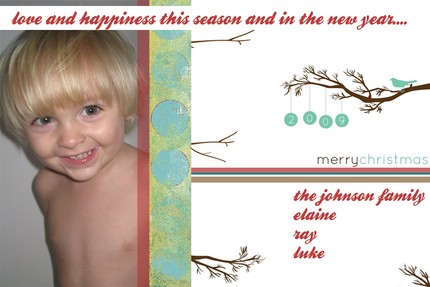
I picked a more traditional style with the Paper Holiday Ornaments design and submitted individual pictures of my kiddos to be inserted into the photo slots. I decided on our greeting and Miss Mailbox Bliss (aka Marcy) sent me a proof. Not much needed to be changed...in fact the design was perfect...I just decided to change the punctuation from what I had suggested before. End result:


There are many notable features of Mailbox Bliss designs...but some of my favorite are:

1 - The frugality! Digital files that include a personal photo (or two or three) are typically $14 regardless of whether you choose the 4x6 design file or the 5x7 file. Digital files that are design only (no personal photos) start at just $6! This includes design, revisions and gives you all rights to the file!

2 - The permanence! The design that you purchase becomes yours FOREVER! Though you can purchase the actual prints through Mailbox Bliss, you aren’t bound to. You can choose to have your 4x6 or 5x7 file printed at any retail photo place (think Target, Wal-Mart, Walgreens, CVS, etc.) simply by uploading it to their online sites or putting it on a flash drive and take it in to the store to have it printed. You could even pair your digital file from Mailbox Bliss with a deal like THIS and SAVE BIG! Or you can skip printing all together and send it out as a personalized E-CARD!

3 - The originality! You will not have a holiday card that you will receive from your friends as well...multiple times. Yours will be original, different, unique...MEMORABLE!

4 - The options! Though we focus on the idea of using the talent of Mailbox Bliss for holiday cards given the season that we are in, Mailbox Bliss has options for graduations, moving, baby announcements, save the dates, party invitations, and more. And really each of her designs include a ‘design your own’ element within them - you can change any wording, and can often change colors or other elements. So personal!

So without further ado, a few more glimpses of Mailbox Bliss’ handiwork!

Some of the nearly 20 holiday card designs Mailbox Bliss has in her online store include:


Do you have a recent addition to the family? Here’s a fun two-in-one idea...birth announcment coupled with a holiday card, like these (NOTE: all of these can be modified to be JUST a birth announcement too):


But maybe you have your holiday cards already all taken care of this year. Consider Mailbox Bliss for other announcement needs, like:

Graduation


Moving

Save the Date


Party Invitation

(how CUTE is that little babyface peeking out of the dragon costume? LOVE IT!)


THE GIVEAWAY

Miss Mailbox Bliss has offered a FREE photo card design of YOUR CHOICE to one lucky winner! This includes all design and proof revisions and the provision of the digital file for the winner to use to print or e-mail however they wish! Perfect for holiday cards, but equally useful for your child’s upcoming birthday party or to FINALLY get those birth announcements out, or to get Save the Dates out to friends and family for that upcoming wedding or reunion! So many options - this is a GREAT giveaway!

To Enter:

You can get up to 5 entries for this giveaway. This is how...

The 1st Entry (noted below) must be completed FIRST before any further entries can be made. (NOTE: Make sure to leave an e-mail address that I can reach you at in EACH entry comment!)

1st Entry: Visit the Mailbox Bliss online store and peruse the awesome selection. Complete the entry form here on the blog (below) letting me know the name of one of your favorite designs.

2nd Entry:
Sign up to receive updates from Gonna Want This - Handmade via e-mail OR become a Follower!

3rd Entry: Follow me (@bloggymama) on Twitter!

4th Entry:
Post about this giveaway on your own blog and link back to it. Leave a link to your blog post in your comment.

5th Entry:
Make a purchase at Mailbox Bliss and let me know in your comment what the purchase was (I will confirm with Miss Mailbox Bliss!)

The giveaway will close at 11:00 pm CST on Monday, November 30th
- so get your entries in now! If you are the winner there will be plenty of time to get your design ready to print, mail AND be received before the holidays (Miss Mailbox Bliss works fast)!

NOTE: When you complete the Entry Form below, your entry automatically is input into a spreadsheet online that I access with a password. It will NOT show up in the blog comments section. I utilize this Entry Form in order to protect your personal information from various forms of 'spybots' on the web! :)

Winner will be notified via e-mail and will be asked to respond within 3 days of e-mail. If the winner does not respond within the prescribed time period, an alternate winner will be selected and notified the same way.

GOOD LUCK!